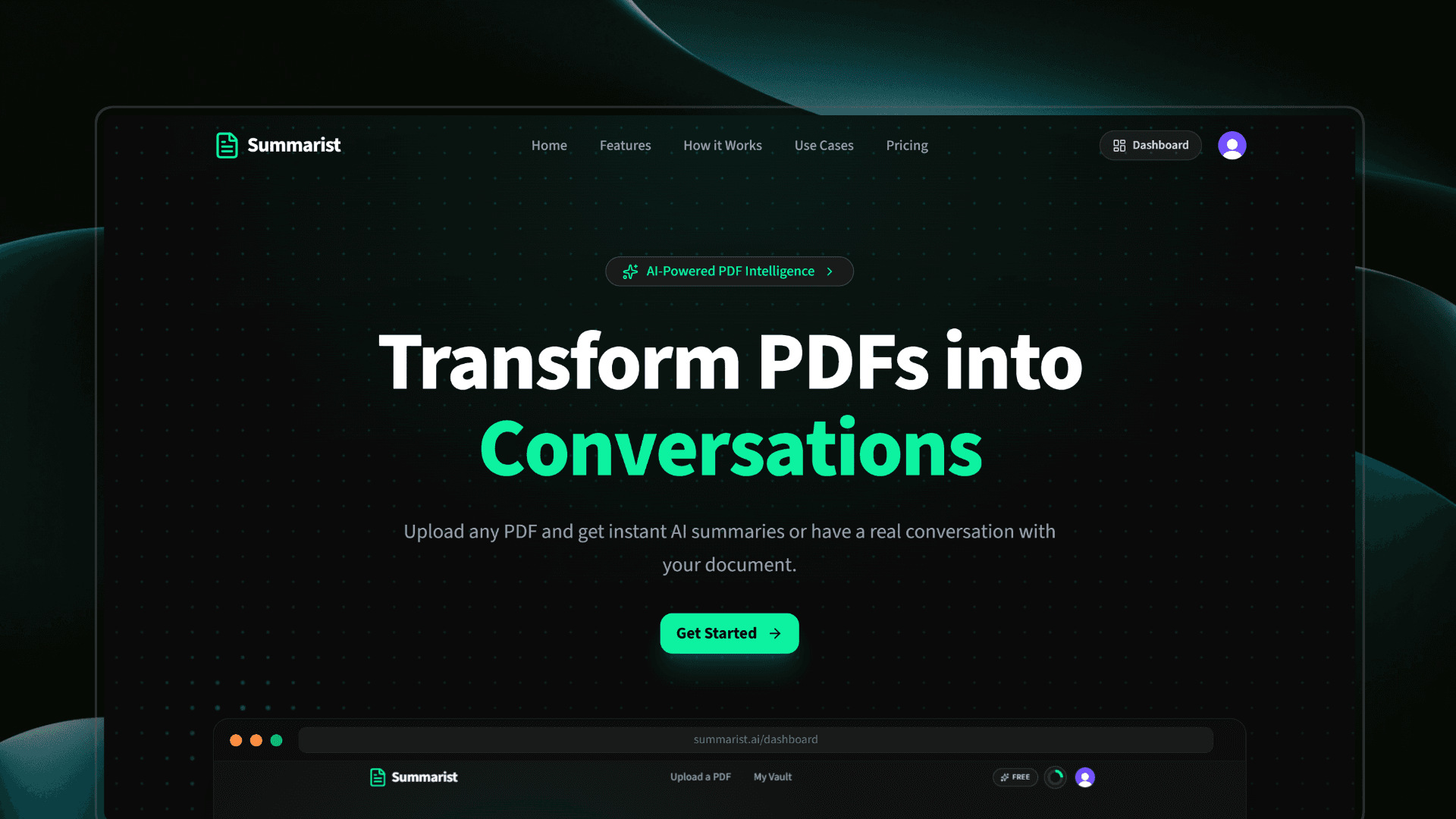
Summarist.ai
AI-powered SaaS that helps users understand long PDFs faster by generating structured summaries and enabling context-aware document chat.
Technology Stack
Key Challenges
- PDF Text Extraction
- Structured AI Summary Generation
- RAG Pipeline with pgvector
- Real-time Background Processing
- Conversational AI with Context
- Vector Embedding Storage
- File Upload Handling
- Subscription Management
- Payment Webhook Handling
- User Sync Reliability
Key Learnings
- Google Gemini AI Integration
- Retrieval-Augmented Generation
- pgvector Similarity Search
- LangChain PDF Processing
- Inngest Background Jobs & Realtime
- Drizzle ORM with NeonDB
- Polar Payment Integration
- UploadThing File Management
- Clerk Authentication
- Structured AI Prompting
- Server Actions in Next.js
Summarist.ai: AI-Powered PDF Summarization & Chat Platform
Overview
Summarist.ai helps users understand long PDFs faster by turning dense documents into structured AI summaries and interactive document conversations. Instead of manually scanning pages for key ideas or searching through a PDF for specific answers, users can upload a document, receive a clean summary, and ask follow-up questions grounded in the actual PDF content.
The project started as a simple PDF summary generator, but evolved into a complete document intelligence SaaS with authentication, subscriptions, usage limits, background processing, realtime progress updates, semantic search, and a unified vault for saved summaries and chats.
Impact
- Reduced manual reading effort by converting long PDFs into structured summaries with overview, key points, sections, and action items
- Helped users move from static document reading to interactive exploration through AI-powered PDF chat
- Supported PDFs up to 32MB with reliable upload handling through UploadThing
- Built a full RAG pipeline using 3,072-dimensional Gemini embeddings and pgvector similarity search
- Improved user experience during long-running AI tasks with realtime progress updates and polling fallback
- Created a subscription-ready SaaS foundation with Clerk authentication, Polar billing, monthly usage limits, and webhook-based user/subscription sync
What Users Can Do
- Upload PDFs: Drag and drop or select PDF files up to 32MB
- Generate AI Summaries: Create structured summaries with title, read time, overview, key points, sections, and action items
- Chat with PDFs: Ask questions about uploaded documents and get context-aware answers using RAG
- Track Real-time Processing: See live progress while PDFs are parsed, chunked, embedded, and indexed
- Use a Unified Vault: Browse all generated summaries and PDF chat sessions in one place
- View Rich Summaries: Read summaries in a clean interactive viewer with collapsible sections
- Export Summaries: Download summaries as Plain Text, Markdown, or Word-compatible
.docfiles - Manage Usage by Plan: Free, Pro, and Unlimited plans with separate limits for summaries and PDF chats
- Securely Access Content: Use protected dashboard routes powered by Clerk authentication
Why I Built This
I built Summarist.ai to solve the biggest pain points around reading and understanding long PDF documents:
- Reading long documents takes time: Research papers, reports, and documentation can be difficult to process quickly
- Static summaries are limited: A summary helps, but users often need answers to specific questions
- PDF search is not enough: Keyword search misses context and semantic meaning
- AI output needs structure: Raw AI responses are hard to scan, so summaries need predictable formatting
- Document workflows need persistence: Users should be able to return to previous summaries and chats anytime
- AI features need reliable infrastructure: Long-running parsing and embedding tasks need durable background processing
Tech Stack
Frontend
- Next.js 16: App Router, Server Components, API routes, and server actions
- React 19: Component-based UI architecture
- TypeScript: Type-safe frontend, backend, and database interactions
- Tailwind CSS 4: Utility-first styling system
- Shadcn UI / Radix UI: Accessible UI primitives and reusable components
- Framer Motion / Motion: Smooth page transitions and micro-interactions
- Lenis: Smooth scrolling experience
- Sonner: Toast notifications for upload, processing, and error states
Backend & Services
- Google Gemini 2.5 Flash: Summary generation and chat responses
- Gemini Embedding 001: 3,072-dimensional embeddings for semantic search
- LangChain: PDF loading and text splitting
- NeonDB PostgreSQL: Serverless relational database
- pgvector: Vector storage and similarity search
- Drizzle ORM: Type-safe schema and queries
- Inngest: Durable background jobs for PDF chat processing
- Inngest Realtime: Live processing updates from background jobs
- Clerk: Authentication, user sessions, and user webhooks
- UploadThing: Secure PDF upload handling
- Polar: Checkout, subscriptions, customer portal, and billing webhooks
Key Features
AI-Powered PDF Summarization
- Users upload a PDF through UploadThing
- The server extracts PDF text using LangChain's
PDFLoader - Extracted text is sent to Gemini 2.5 Flash with a strict structured prompt
- Gemini returns JSON containing:
titlereadTimeoverviewkeyPointssectionsactionItems
- The app strips markdown code fences if Gemini wraps the JSON response
- The summary is saved to NeonDB and displayed in a polished viewer
- If JSON parsing fails, the UI gracefully falls back instead of crashing
Chat with PDF — Full RAG Pipeline
- Upload: User uploads a PDF and chooses chat mode
- Record Creation: A
chat_pdfdatabase record is created with statusprocessing - Inngest Event: The app sends a
pdf/chat.uploadedevent - Parse: Inngest fetches the PDF and loads page-level documents using LangChain
PDFLoader - Chunk: Text is split into 1,000-character chunks with 200-character overlap
- Embed: Each chunk is embedded using
gemini-embedding-001 - Store: Chunk text, page number, and vector embedding are stored in
pdf_chunks - Ready State: The PDF status changes to
ready - Ask Question: User messages are embedded and compared against stored chunks
- Retrieve Context: Top 5 relevant chunks are fetched using pgvector similarity search
- Generate Answer: Gemini receives the retrieved context and user question
- Save History: User and assistant messages are saved in
chat_messages
Real-time PDF Processing
- Inngest publishes progress updates for every processing stage:
processingparsingchunkingembeddingreadyerror
- Each PDF gets its own realtime channel:
pdf-processing:<chatPdfId> - The frontend subscribes using
@inngest/realtime - If realtime fails or closes, the UI falls back to polling
/api/chat/[id]/status - Users get smooth loading states instead of waiting blindly during long embedding jobs
Unified Vault
- The vault combines saved summaries and PDF chat sessions into one feed
- Summary items come from
pdf_summaries - Chat items come from
chat_pdf - Items are sorted by latest activity:
- chats use
updatedAt - summaries use
createdAt
- chats use
- Each vault card links to either the summary viewer or chat interface
Subscription & Usage Limits
- Polar handles checkout, subscriptions, customer portal, and webhook events
- Plans include:
- Free: 2 summaries/month and 2 PDF chats/month
- Pro: 10 summaries/month and 10 PDF chats/month
- Unlimited: High-limit access for summaries and chats
- Usage is calculated monthly using database counts
- Both summary generation and PDF chat creation are gated by plan limits
- Polar webhooks update subscription status, product ID, customer ID, and billing period
Technical Implementation
Summary Generation Flow
- User selects summary mode and uploads a PDF
- UploadThing stores the file and returns the file URL
- Server action verifies the authenticated Clerk user
- PDF text is extracted using LangChain
PDFLoader - Gemini generates a structured JSON summary
- The app extracts the generated title from the JSON
- Summary is saved in the
pdf_summariestable - Dashboard and vault paths are revalidated
- User is redirected to the summary viewer page
Chat PDF Flow
- User selects chat mode and uploads a PDF
- Server action verifies the user and checks chat usage limits
- A
chat_pdfrecord is created with statusprocessing - Inngest receives a
pdf/chat.uploadedevent - Background function parses the PDF, chunks text, embeds content, and stores vectors
- Processing status updates are published in realtime
- Once ready, the user can ask questions
- Each user question is embedded and matched against the stored PDF chunks
- Gemini answers using only the retrieved document context
- Chat history is persisted and loaded on future visits
Database Schema
- users: Stores app user records mapped to Clerk IDs
- subscriptions: Stores Polar customer, subscription, product, and status data
- pdf_summaries: Stores generated summaries, titles, file names, and source file URLs
- chat_pdf: Stores uploaded PDFs prepared for chat, including processing status
- pdf_chunks: Stores chunked PDF text, page numbers, and pgvector embeddings
- chat_messages: Stores user and assistant messages for each PDF chat
Technical Challenges & Solutions
Challenge 1: Reliable PDF Text Extraction
- Problem: PDFs can vary in structure, length, and formatting
- Solution: Used LangChain's
PDFLoaderto load PDF content page-by-page, then combined text for summaries or preserved page metadata for chat chunks
Challenge 2: Structured AI Output
- Problem: AI responses can be inconsistent or wrapped in markdown fences
- Solution: Designed a strict JSON prompt and added post-processing to strip code fences before parsing. The summary viewer also has a graceful fallback for invalid JSON
Challenge 3: Building a RAG Pipeline
- Problem: Chat answers need to be grounded in uploaded documents, not generic AI knowledge
- Solution: Implemented a custom RAG pipeline using Gemini embeddings, pgvector similarity search, and context injection into Gemini chat prompts
Challenge 4: pgvector with Drizzle ORM
- Problem: Drizzle does not provide first-class pgvector support out of the box
- Solution: Created a custom Drizzle vector type for
vector(3072)and used raw SQL for vector inserts and similarity queries
Challenge 5: Long-running PDF Processing
- Problem: Parsing, chunking, embedding, and storing large PDFs can take time
- Solution: Moved chat PDF processing into an Inngest background function with retries, status updates, and error handling
Challenge 6: Realtime Processing Updates
- Problem: Users need feedback while background jobs are running
- Solution: Used Inngest Realtime to publish per-document progress events and added a polling fallback for reliability
Challenge 7: Gemini Chat History Format
- Problem: Gemini requires chat history to alternate strictly between user and model messages
- Solution: Rebuilt history from stored messages by including only complete
user → assistantpairs and skipping incomplete turns
Challenge 8: User Sync Reliability
- Problem: Clerk webhooks may not always create the database user before the first app action
- Solution: Added
ensureFreeUserExistsfallback checks across dashboard, vault, upload, chat, credits, and delete actions
Challenge 9: Subscription Lifecycle Handling
- Problem: Billing state must stay synced with the app database
- Solution: Integrated Polar webhooks for subscription activation, updates, cancellation, revocation, and customer state changes
After Launch & Impact
- Built a complete AI SaaS platform with authentication, uploads, payments, usage limits, and persistent user data
- Expanded the original PDF summarizer into a document intelligence tool with RAG-based PDF chat
- Implemented a production-style vector search pipeline using pgvector and Gemini embeddings
- Built durable background processing with Inngest and realtime progress updates
- Integrated multiple third-party services into one coherent system: Clerk, UploadThing, Gemini, NeonDB, Inngest, and Polar
- Improved user experience with a unified vault, structured summary viewer, chat history, and export options
- Gained practical experience with AI workflows, vector databases, subscription systems, and serverless architecture
Future Plans
- Add public shareable summary links
- Support more file formats such as DOCX, TXT, and EPUB
- Add batch PDF upload and processing
- Add search, filters, and tags in the Vault
- Add PDF export for generated summaries
- Allow users to edit and annotate summaries
- Add source citations directly inside chat answers
- Improve OCR support for scanned PDFs
- Add team workspaces and shared document libraries
- Build a public API for third-party integrations